

Robot vacuums under $350 can deliver strong cleaning performance and solid smart features without breaking the bank.
The Lefant M210 excels in tight spaces and handles pet messes well. The eufy 11S MAX is quiet, simple, and reliable for everyday upkeep. The iRobot Roomba 692 provides dependable spot cleaning and smart controls, while the eufy X10 Pro Omni adds mopping for deeper care.
| Lefant Robot Vacuum Cleaner (M210) |
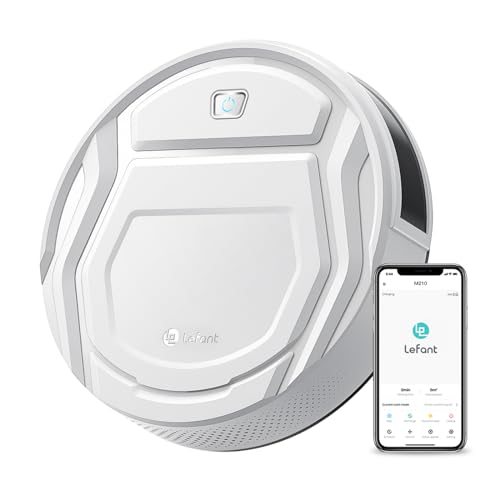
| Best for Pet Hair | Form Factor: Robotic | Battery Power: Battery powered | Self-Charging: Yes | VIEW LATEST PRICE | Read Our Analysis |
| eufy Robot Vacuum 11S MAX Self-Charging Cleaner |

| Quiet Budget Pick | Form Factor: Robotic | Battery Power: Battery powered | Self-Charging: Yes | VIEW LATEST PRICE | Read Our Analysis |
| eufy X10 Pro Omni Robot Vacuum and Mop |

| Best Premium Pick | Form Factor: Robotic | Battery Power: Battery powered | Self-Charging: Yes | VIEW LATEST PRICE | Read Our Analysis |
| iRobot Roomba 692 Robot Vacuum with Wi-Fi and Alexa |

| Best App Control | Form Factor: Robotic | Battery Power: Battery powered | Self-Charging: Yes | VIEW LATEST PRICE | Read Our Analysis |
More Details on Our Top Picks
Lefant Robot Vacuum Cleaner (M210)
If you want a budget-friendly robot vacuum that can slip under low furniture and still handle daily messes with ease, the Lefant M210 is a strong pick. You get a slim 2.8-inch body, so it glides under beds and sofas without drama. Its strong suction, brushless port, and 500ML dust bin help you tackle pet hair, crumbs, and dirt on hard floors or low pile carpet. You can control it with the app, Alexa, or Google Assistant, set six modes, and let its anti-collision sensors steer it home for up to 120 minutes.
- Form Factor:Robotic
- Battery Power:Battery powered
- Self-Charging:Yes
- App/Smart Control:Wi-Fi/app/Alexa/Google Assistant
- Surface Support:Wood, hard floor, low pile carpet
- Runtime:Up to 120 minutes
- Additional Feature:52 dB low noise
- Additional Feature:Brushless hair-tangle prevention
- Additional Feature:FreeMove 3.0 navigation
eufy Robot Vacuum 11S MAX Self-Charging Cleaner
The eufy Robot Vacuum 11S Max is a smart pick for you if you want simple, steady cleaning without paying for extra bells and whistles. Its slim 2.85 inch body slips under furniture with ease, and the tempered glass top adds durability. You get strong suction on hard floors, tile, and medium-pile carpet, plus BoostIQ quickly raises power when dirt gets heavier. It runs quietly at 55 dB, so you can relax while it works. Since it self-charges, uses remote control, and skips WiFi, you keep cleanup easy and stress-free.
- Form Factor:Robotic
- Battery Power:Battery powered
- Self-Charging:Yes
- App/Smart Control:No app or Wi-Fi
- Surface Support:Hard floor, tile, medium-pile carpet
- Runtime:Up to 100 minutes
- Additional Feature:BoostIQ suction adjustment
- Additional Feature:Anti-scratch glass top
- Additional Feature:Single-side brush design
eufy X10 Pro Omni Robot Vacuum and Mop
Budget-minded homes that deal with pet hair, mixed floors, and daily crumbs will get a lot of value from the eufy X10 Pro Omni Robot Vacuum and Mop. You get 8,000 Pa suction, dual mops, and a Pro-Detangling Roller Brush that helps lift hidden debris and pet hair in one pass. It also detects carpet and raises its mops 12 mm, so you don’t worry about soggy rugs. Then AI.See spots 100+ objects, while AI.Map 3.0 lets you set no-go zones and room schedules. Its station washes, dries, empties, and refills for truly hands-free cleanup.
- Form Factor:Robotic
- Battery Power:Battery powered
- Self-Charging:Yes
- App/Smart Control:App/voice/button control
- Surface Support:Hard floor, carpet, wood, tile
- Runtime:173 minutes
- Additional Feature:8,000 Pa suction
- Additional Feature:Auto mop washing
- Additional Feature:45°C heated drying
iRobot Roomba 692 Robot Vacuum with Wi-Fi and Alexa
Roomba 692 is a smart pick for anyone who wants a hands-off clean without paying a premium price. You get a 3-stage system with dual brushes, an edge-sweeping brush, and an auto-adjust head that moves from carpet to hard floors with ease. It handles pet hair well, and Dirt Detect sensors focus extra work on messy spots. With Wi-Fi, the iRobot HOME app, and Alexa or Google Assistant, you can start cleaning while you relax. It also docks itself, recharges, and learns your habits.
- Form Factor:Robotic
- Battery Power:Battery powered
- Self-Charging:Yes
- App/Smart Control:Wi-Fi/app/voice control
- Surface Support:Carpet, hardwood, hard surfaces
- Runtime:Up to 90 minutes
- Additional Feature:3-stage cleaning system
- Additional Feature:Dirt Detect sensors
- Additional Feature:Cliff Detect protection
Factors to Consider When Choosing Affordable Robot Vacuums Under 350
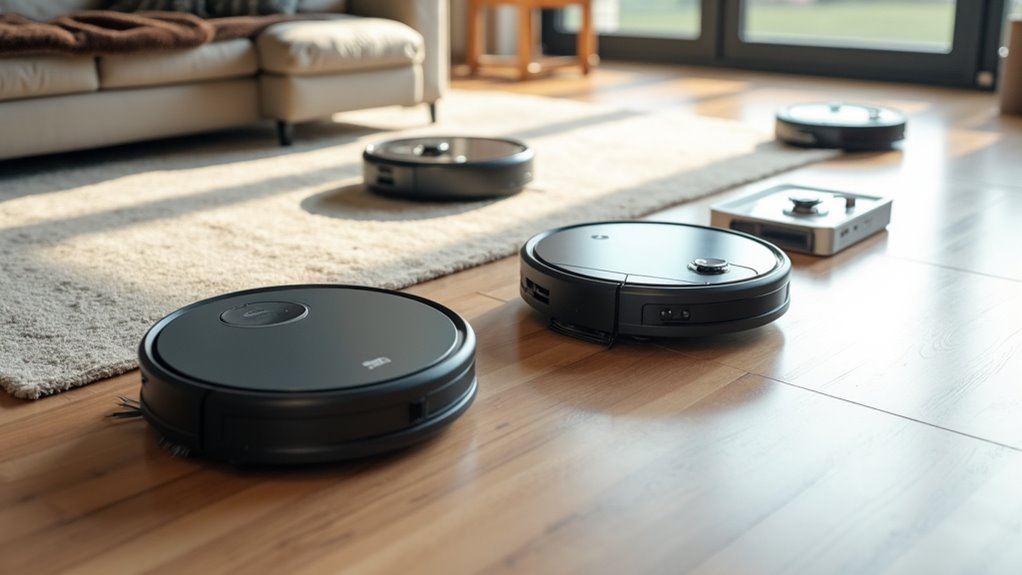
When you’re choosing an affordable robot vacuum under $350, start with cleaning power, battery runtime, and navigation so the machine can handle your floors without getting lost or quitting early. You’ll also want to check dustbin capacity, since a tiny bin can mean more emptying than cleaning. Smart controls matter too, because app scheduling and voice commands can make your routine feel a lot easier.
Cleaning Power
Sift through the specs carefully, because cleaning power is where a cheap robot vacuum can win your trust or waste your money. You want suction that fits your mess and floors, from about 1,100 Pa for light touchups to 8,000 Pa or more for deeper pickup. Then check the brushes. Dual brushes or detangling rollers usually grab pet hair and packed dirt better than simple setups, so you won’t play tug-of-war with the vacuum. Also, make sure it handles hard floors and carpet with ease, because one trick pony cleaners can disappoint. If it offers auto suction or boost modes, that’s a smart bonus. Finally, a 500 mL to 600 mL dustbin helps it keep working well between dumps.
Battery Runtime
Battery runtime can make or break your experience with an affordable robot vacuum, especially after you’ve checked its cleaning power and want to know how long it can actually keep going. You should look for entry-level models that offer about 90 to 120 minutes, because that range often covers a normal cleaning session. If you live in a larger home or have several rooms, longer runtime helps the vacuum finish more floor before it needs a break. For a small apartment, 90 minutes may be plenty and still feel easy. Also, check whether the vacuum auto-recharges, since that can soften the limits of a shorter battery. When you compare budget picks, balance runtime with charging time and cleaning speed, so you spend less time waiting and more time enjoying clean floors.
Navigation Features
Good navigation can save you a lot of frustration, especially in a budget robot vacuum that may not have every premium feature. You should look for obstacle sensors that spot furniture, walls, and drops, because infrared and cliff sensing help the vacuum avoid bumps and stair falls. If you want cleaner lines and better coverage, pick a model with mapping or path optimization instead of random roaming. Then, check the app controls. They can let you set no go zones, virtual boundaries, or room schedules, which gives you more control at home. Voice and remote control are handy too, but they usually keep things simpler. If your floors change a lot, choose automatic path adjustment and multi object detection so the vacuum gets stuck less often and works more smoothly.
Dustbin Capacity
When you’re shopping for an affordable robot vacuum under $350, dustbin capacity can make a bigger difference than you might expect. A bigger bin holds more dirt between emptying sessions, which helps if you have pets, busy rooms, or daily cleaning. In this price range, you’ll often see bins around 500 mL to 600 mL. That extra 100 mL can mean fewer trips to the trash, especially on carpets or in homes with lots of crumbs. Still, bigger isn’t everything. Check the bin design, because a simple latch and easy access save you time and mess. Also, compare dustbin size with cleaning area and runtime. A long run can collect more debris, so you want a bin that keeps up without becoming a chore.
Smart Controls
Smart controls can make a robot vacuum feel easy instead of fussy, especially after you’ve already thought about dustbin size and how often you’ll need to empty it. You should pick the control style you’ll actually use most, whether that’s Wi-Fi app access, a remote, onboard buttons, or voice support. App control helps you set schedules, change suction, steer the robot, and check cleaned areas. Some models skip apps entirely, which can keep things simple. If you like hands-free use, Alexa or Google Assistant can start or stop a run, as long as Wi-Fi is on. For more precision, look for room-by-room schedules, no-go zones, and map-based navigation. If you value ease, basic controls may suit you better than setup-heavy features.
Noise Level
How loud should a robot vacuum be in your home? You’ll notice the answer fast if you work, talk, or sleep nearby. Many affordable models stay around 52 to 55 dB, which feels much gentler than a loud kitchen blender. Still, a few decibels can change how annoying the noise feels, so check the listed sound level instead of guessing. Also, quiet mode can trim suction, so make sure it still lifts crumbs, pet hair, and dust on your floors. Slim robots may seem softer in a room, but the motor and brush system matter more than size alone. If peace matters, choose one that advertises quiet operation and adaptive suction, so you get cleaning without the extra racket.
Frequently Asked Questions
How Often Should Robot Vacuum Filters Be Replaced?
Replace the robot vacuum filter every 1 to 3 months based on run frequency and presence of pets. For daily use or homes with shedding animals, change the filter closer to the 1 month mark to maintain suction.
Can Robot Vacuums Clean Thick Carpet Effectively?
Yes. Choose a robot vacuum that offers high suction power, a powered brush roll, and carpet boost to raise motor speed on thick pile. Expect to supplement with occasional manual vacuuming to remove deeply embedded dirt and persistent pet hair.
Do Robot Vacuums Work Well With Pet Hair?
Yes. Robot vacuums significantly reduce the time spent removing pet fur. Models with high suction power, rubber brushes that resist tangling, and frequent emptying of the dustbin perform best on both carpets and hard floors.
How Noisy Are Affordable Robot Vacuums During Operation?
You will typically hear affordable robot vacuums but they are not overly loud. Expect around 55 to 65 dB on hard floors and slightly higher levels on carpets so they should not overpower normal conversation.
Can Robot Vacuums Map Multiple Rooms Accurately?
Yes. Robot vacuums that use LiDAR or advanced visual navigation typically create accurate multiroom maps. Accuracy can decline when rooms are cluttered, lighting is poor, or furniture is moved while the vacuum is mapping.



