

I’ve spent time comparing digital photo frames that do more than just display images, and a few stand out for their balance of image quality, storage, and ease of use. Should you desire a frame that fits naturally into your home and keeps your favorite moments visible, the details matter more than you may realize. Here’s what separates the strongest options from the rest, and why some are worth a closer look.
| Skylight Frame WiFi Digital Picture Frame 10 Inch |

| Best for Gifting | Screen Size: 10-inch | Touchscreen: Yes | Wi-Fi: Yes | VIEW LATEST PRICE | Read Our Analysis |
| Smart White WiFi Digital Picture Frame 16GB 10.1-inch |

| Best Feature-Rich | Screen Size: 10.1-inch | Touchscreen: Yes | Wi-Fi: Yes | VIEW LATEST PRICE | Read Our Analysis |
| FRAMEO 10.1 Inch Smart WiFi Digital Photo Frame |

| Best Storage | Screen Size: 10.1-inch | Touchscreen: Yes | Wi-Fi: Yes | VIEW LATEST PRICE | Read Our Analysis |
| Loop Wi-Fi Digital Picture Frame with Touch Screen |

| Easiest Sharing | Screen Size: 10.1-inch | Touchscreen: Yes | Wi-Fi: Yes | VIEW LATEST PRICE | Read Our Analysis |
| Digital Picture Frame 10.1-Inch WiFi Touch Screen |
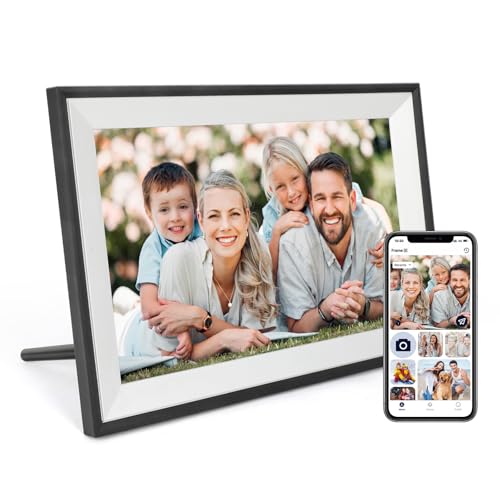
| Best Customizable | Screen Size: 10.1-inch | Touchscreen: Yes | Wi-Fi: Yes | VIEW LATEST PRICE | Read Our Analysis |
| Aura Digital Picture Frame with HD Display |

| Best Premium Pick | Screen Size: 10.1-inch | Touchscreen: Yes | Wi-Fi: Yes | VIEW LATEST PRICE | Read Our Analysis |
More Details on Our Top Picks
Skylight Frame WiFi Digital Picture Frame 10 Inch
The Skylight Frame WiFi Digital Photo Frame, 10-inch, is a great choice in case you want an easy way to share memories with family or friends who may not use social media. You can set it up in minutes: plug it in, connect to Wi-Fi, and choose a Skylight email address. Then you can send photos and videos from anywhere. The 10-inch color touch screen looks sharp, and the cloud storage keeps things simple. You don’t need SD cards, and offline mode still shows saved photos. It’s also a thoughtful gift for holidays or special moments.
- Screen Size:10-inch
- Touchscreen:Yes
- Wi-Fi:Yes
- Resolution:1280 x 800
- App Sharing:Skylight app/email
- Video Support:Yes
- Additional Feature:Gift mode preload
- Additional Feature:Cloud-based storage
- Additional Feature:Offline photo viewing
Smart White WiFi Digital Picture Frame 16GB 10.1-inch
With its 10.1-inch HD IPS display, WiFi sharing, and 16GB of built-in storage, this Smart White Digital Photo Frame is a strong pick should you want an easy way to keep family photos and short videos on view. You’ll get crisp 1280×800 images, a 178° viewing angle, and support for JPG, PNG, BMP, and MP4 files. Use the app to send clips up to 15 seconds, manage sharing securely, and add a microSD card for more space. It also shows weather, time, and temperature, then auto-rotates for portrait or scenery display.
- Screen Size:10.1-inch
- Touchscreen:Yes
- Wi-Fi:Yes
- Resolution:1280 x 800
- App Sharing:Mobile app
- Video Support:Yes
- Additional Feature:178° viewing angle
- Additional Feature:Weather and temperature
- Additional Feature:Wall mountable design
FRAMEO 10.1 Inch Smart WiFi Digital Photo Frame
Should you want a digital image frame that makes sharing memories easy for the whole family, the Akimart 32GB FRAMEO 10.1 Inch Smart WiFi Digital Photo Frame is a strong choice. You get a 10.1-inch IPS touch display with 1280×800 resolution, plus 32GB of built-in storage and Micro SD expansion. Through the Frameo app, you can send photos and 15-second videos from iOS or Android anywhere. It also shows captions, weather, and time, auto-rotates, and lets you adjust brightness, zoom, and sleep mode for birthdays, weddings, and everyday moments.
- Screen Size:10.1-inch
- Touchscreen:Yes
- Wi-Fi:Yes
- Resolution:1280 x 800
- App Sharing:Frameo app
- Video Support:Yes
- Additional Feature:32GB built-in memory
- Additional Feature:Captions and weather
- Additional Feature:Detachable holder
Loop Wi-Fi Digital Picture Frame with Touch Screen
Should you want a digital frame that makes sharing memories simple, the Loop Wi‑Fi Digital Photo Frame is a strong pick for families and anyone who likes quick photo updates. You get a 10.1-inch touchscreen with 1280 x 800 HD resolution and a wide viewing angle, so photos look crisp from across the room. You can connect it to Wi-Fi, create a free Loop account, and send photos or videos through the app or via text. It also supports albums, captions, comments, automatic slideshows, and scheduled sleep mode for easy everyday use.
- Screen Size:10.1-inch
- Touchscreen:Yes
- Wi-Fi:Yes
- Resolution:1280 x 800
- App Sharing:Loop app/text
- Video Support:Yes
- Additional Feature:Text-to-frame feature
- Additional Feature:Digital albums
- Additional Feature:Scheduled sleep mode
Digital Picture Frame 10.1-Inch WiFi Touch Screen
The Digital Photo Frame 10.1-Inch WiFi Touch Screen is a smart pick should you want an easy way to share photos and short videos with family, thanks to the AiMOR app and simple wireless setup. You get a 10.1-inch IPS HD touchscreen with 1280 x 800 resolution, wide viewing angles, and rich color. The built-in light sensor adjusts brightness to match your room. You can store plenty with 32GB onboard memory or add up to a 128GB SD card. It auto-rotates, supports slideshows, zoom, crop, sleep mode, and lets you send clips up to 15 seconds without fees.
- Screen Size:10.1-inch
- Touchscreen:Yes
- Wi-Fi:Yes
- Resolution:1280 x 800
- App Sharing:AiMOR app
- Video Support:Yes
- Additional Feature:Light sensor brightness
- Additional Feature:128GB SD support
- Additional Feature:Wood frame material
Aura Digital Picture Frame with HD Display
Aura’s 10.1-inch HD digital photo frame is a strong pick should you want a polished, easy-to-use way to keep family photos in view. You can send photos and videos from your phone, and friends or family can add their own from anywhere. Setup takes minutes over WiFi, and the free Aura app works with Apple and Android devices. The color-calibrated display looks crisp, while auto brightness and cropping keep images looking right. It also plays video through a built-in speaker, turns off at night, and includes free, unlimited storage.
- Screen Size:10.1-inch
- Touchscreen:Yes
- Wi-Fi:Yes
- Resolution:HD display
- App Sharing:Aura app
- Video Support:Yes
- Additional Feature:Unlimited free storage
- Additional Feature:Automatic brightness adjustment
- Additional Feature:Built-in speaker
Factors to Consider When Choosing Digital Picture Frames
When I choose a digital photo frame, I initially look at display quality because sharp, vivid images make the biggest difference. I also check storage capacity, sharing options, and ease of setup so I know it’ll fit my needs and work smoothly. In case I want extra convenience, I look for smart features that make updating and managing photos easier.
Display Quality
Crisp images and natural colors make all the difference whenever I’m choosing a digital photo frame. I look for a high resolution, because a display like 1280×800 renders photos with sharper detail and richer color. I also prefer IPS panels since they keep colors accurate and viewing angles wide, so the image looks good from across the room. Brightness controls matter too; I want a frame I can tune for a sunny family room or a dim hallway without losing visibility. Auto-rotation is another plus, because it keeps portraits and vistas oriented correctly. Finally, I favor a 10-inch or 10.1-inch screen, since the larger surface helps photos stand out and gives every scene more visual impact.
Storage Capacity
Storage capacity is one of the primary things I check, because it determines how many photos and videos my frame can actually keep on hand. I like to compare frames with 8GB, 16GB, or 32GB of built-in storage, since that can mean thousands of images, and 16GB might hold around 40,000 photos depending on file size. Should I shoot high-resolution images or short videos, I know I’ll need more space. I also look for micro SD support, because an expandable frame can accept cards up to 128GB and give me room to grow. Some models use cloud storage, which removes physical limits, but I still check capacity initially so I’m not caught short later.
Sharing Options
After checking storage, I also look at sharing options, because a frame is only as useful as the way I can send photos to it. I prefer frames that let me send photos and short videos straight from a dedicated app, without email hassles or surprise subscription fees. Support for multiple image and video formats matters too, since I don’t want compatibility issues whenever I share from different devices. I also value privacy controls that let me decide who can upload content, especially for family use. Cloud storage is a bonus because it keeps my library accessible without memory cards. Whenever a frame lets me build albums and add captions, I can organize memories and give each shared moment more meaning.
Ease Of Setup
When I choose a digital photo frame, I want setup to be fast and painless, so I look for plug-and-play models that only need me to connect to Wi-Fi and get started. I don’t want complicated installations or long menus before I can enjoy my images. I also check whether the frame gives me a unique email address or app for simple photo sharing, because that keeps the process smooth. An intuitive interface matters too, especially in case I’m helping family members of different ages use it. Touch screens can make maneuvering easier and speed up photo management. Ideally, I want a frame that’s ready in a few minutes and still lets me view saved visuals offline should Wi-Fi drop later.
Smart Features
Smart features can make a digital photo frame feel far more useful, especially whenever I want to upload and share images directly from my phone through Wi-Fi and a dedicated app. I like frames that skip email hassles and don’t require subscription fees, because that keeps sharing simple. A touch screen also helps me browse albums and manage photos quickly, without frustration. Should I move the frame around, auto-rotation is a great bonus since it keeps portraits and scenery looking right. I also pay attention to privacy tools, like multi-user access and secure accounts, so I can control who sees my content. Custom settings matter too; I enjoy adjusting slideshow modes, brightness, and even weather or time displays for a more useful, polished experience.
Frequently Asked Questions
Can Digital Picture Frames Display Videos Too?
Yes, many digital photo frames can also play short videos, as long as the frame supports the file format. Check the product specifications first, since some models display only photos while others also include sound and motion.
How Do I Add Photos to a Digital Frame?
I add photos with the frame app, email, SD card, USB drive, or cloud account. I upload or sync the images, then I check the settings and view them on the frame.
Do Digital Picture Frames Need Wi-Fi to Work?
Like a framed print in a hallway, many digital photo frames work without Wi-Fi. I can add pictures through USB, SD cards, or built in memory, while Wi-Fi just makes sharing faster.
Can Multiple Users Send Photos to One Frame?
Yes, multiple people can send photos to the same frame if the frame app allows shared albums or email uploads. Check the frame’s sharing settings, since some models limit who can add photos.
How Much Power Do Digital Picture Frames Use?
Digital photo frames typically use 5 to 15 watts when showing images and far less in sleep mode. Even if left on all day, their electricity use stays relatively low.
