

Long-range access points are built to keep Wi‑Fi steady across big spaces like barns, warehouses, and backyard offices. They send signal farther than standard routers and handle more users with less slowdown.
Outdoor-ready models stand up to weather, while Wi‑Fi 6 and Wi‑Fi 7 options bring faster, smoother connections. Here are six picks that can cover more ground without cutting speed.
| TP-Link Omada Outdoor WiFi 6 Access Point (EAP650-Outdoor) |

| Best Overall | Wi‑Fi Generation: Wi‑Fi 6 | Band Support: Dual-band | Outdoor Rating: IP67 | VIEW LATEST PRICE | Read Our Analysis |
| TP-Link EAP225-Outdoor AC1200 Dual Band Access Point |
| Best Value | Wi‑Fi Generation: Wi‑Fi 5 | Band Support: Dual-band | Outdoor Rating: IP65 | VIEW LATEST PRICE | Read Our Analysis |
| Ubiquiti UniFi 6 Long-Range Access Point (U6-LR-US) |
| Best Premium | Wi‑Fi Generation: Wi‑Fi 6 | Band Support: Dual-band | Outdoor Rating: Outdoor long-range | VIEW LATEST PRICE | Read Our Analysis |
| AC1200 Outdoor WiFi Extender AP7204 with POE |

| Best Budget | Wi‑Fi Generation: Wi‑Fi 5 | Band Support: Dual-band | Outdoor Rating: IP66 | VIEW LATEST PRICE | Read Our Analysis |
| WAVLINK AX1800 Outdoor WiFi 6 Extender |

| Best for Outdoors | Wi‑Fi Generation: Wi‑Fi 6 | Band Support: Dual-band | Outdoor Rating: IP67 | VIEW LATEST PRICE | Read Our Analysis |
| Grandstream GWN7670LR Outdoor Long Range Wi-Fi 7 Access Point |

| Best Enterprise | Wi‑Fi Generation: Wi‑Fi 7 | Band Support: Dual-band | Outdoor Rating: Outdoor long-range | VIEW LATEST PRICE | Read Our Analysis |
More Details on Our Top Picks
TP-Link Omada Outdoor WiFi 6 Access Point (EAP650-Outdoor)
Should you need a long-range outdoor access point that can handle both yard coverage and indoor deployment, the TP-Link Omada EAP650-Outdoor is a strong fit. You get Wi-Fi 6 AX3000 speeds, up to 2,976 Mbps, plus coverage reaching about 3,500 sq. ft. Its IP67 weatherproof design and high-gain antennas help it stand up outdoors, while the discreet build suits indoor spaces too. You can power it with PoE, use mesh, band steering, beamforming, and load balancing, and manage it through Omada controllers or the mobile app.
- Wi‑Fi Generation:Wi‑Fi 6
- Band Support:Dual-band
- Outdoor Rating:IP67
- PoE Support:PoE powered
- Mesh Support:Supported
- Management:Omada SDN
- Additional Feature:IP67 weatherproof enclosure
- Additional Feature:Seamless roaming support
- Additional Feature:3,500 sq. ft. coverage
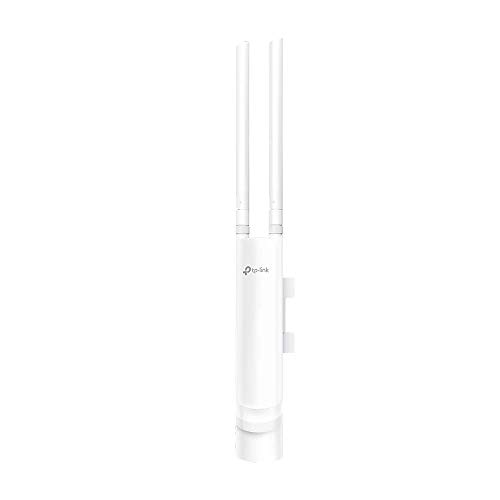
TP-Link EAP225-Outdoor AC1200 Dual Band Access Point
The TP-Link EAP225-Outdoor AC1200 Dual Band Access Point is a strong pick provided you need reliable long-range Wi‑Fi outside, especially for patios, yards, warehouses, or campus-style spaces. You get 802.11ac Wave 2 with MU-MIMO, band steering, beamforming, mesh support, and seamless roaming for up to 1,200 Mbps across 2.4 GHz and 5 GHz. It reaches 200m+ at 2.4 GHz and 300m+ at 5 GHz, and its IP65 enclosure handles harsh weather. You can manage it through Omada SDN, use PoE for easy installs, and rely on WPA2-PSK protection.
- Wi‑Fi Generation:Wi‑Fi 5
- Band Support:Dual-band
- Outdoor Rating:IP65
- PoE Support:802.3af/at + passive PoE
- Mesh Support:Supported
- Management:Omada SDN
- Additional Feature:16 SSID support
- Additional Feature:200m+ 2.4GHz range
- Additional Feature:Limited lifetime warranty
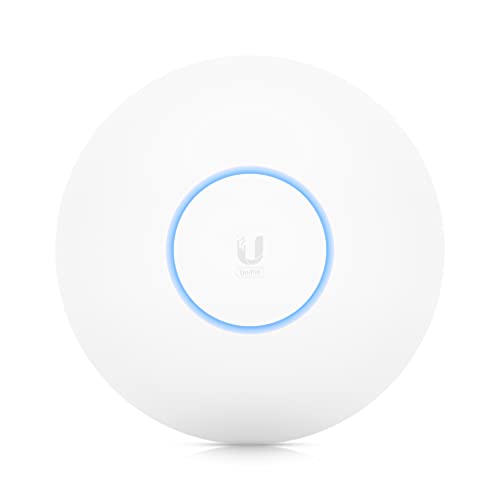
Ubiquiti UniFi 6 Long-Range Access Point (U6-LR-US)
Ubiquiti’s UniFi 6 Long-Range Access Point (U6-LR-US) is a strong fit provided you need wider wireless coverage without giving up modern Wi‑Fi 6 performance. You get a US-model tri-band access point with a 1.3 GHz dual-core processor and upgraded support for full-duplex 1 Gbps TCP/IP performance. Its Wi‑Fi 6 radio uses four-stream design, 4×4 MU-MIMO and OFDMA on 5 GHz, and 4×4 MIMO on 2.4 GHz. You’ll power it with 802.3at PoE, but the adapter isn’t included.
- Wi‑Fi Generation:Wi‑Fi 6
- Band Support:Dual-band
- Outdoor Rating:Outdoor long-range
- PoE Support:802.3at PoE
- Mesh Support:UniFi ecosystem
- Management:UniFi ecosystem
- Additional Feature:1.3 GHz dual-core
- Additional Feature:4×4 MU-MIMO
- Additional Feature:Full-duplex 1Gbps TCP/IP
AC1200 Outdoor WiFi Extender AP7204 with POE
Need reliable outdoor coverage without running power to every corner? The WONLINK AC1200 Outdoor WiFi Extender AP7204 uses PoE to place Wi‑Fi where you need it, up to 100 meters from your network cable. You get dual-band Wi‑Fi 5 speeds up to 867 Mbps on 5 GHz and 300 Mbps on 2.4 GHz, plus two external high-gain antennas for broader reach. Its IP66 weatherproof shell handles rain, dust, snow, and wind, while AP, repeater, router, and bridge modes let you fit gardens, security cameras, and livestreams.
- Wi‑Fi Generation:Wi‑Fi 5
- Band Support:Dual-band
- Outdoor Rating:IP66
- PoE Support:PoE adapter included
- Mesh Support:Wireless roaming
- Management:Basic modes
- Additional Feature:IP66 weatherproof enclosure
- Additional Feature:DDoS defense firewall
- Additional Feature:Four operating modes
WAVLINK AX1800 Outdoor WiFi 6 Extender
WAVLINK’s AX1800 Outdoor WiFi 6 Extender is a strong fit should you require reliable coverage across a large outdoor area, like a yard, farm, RV lot, or remote property where an indoor router just can’t reach. You get WiFi 6 dual-band performance, MU-MIMO, and beamforming to help more devices stay connected with less congestion. Its built-in amplifier and four 8 dBi fiberglass antennas push a focused signal farther. The IP67 housing stands up to rain, snow, dust, and UV. You can install it with PoE, use AP, router, repeater, or WISP modes, and even pair it with Starlink.
- Wi‑Fi Generation:Wi‑Fi 6
- Band Support:Dual-band
- Outdoor Rating:IP67
- PoE Support:802.3af/at + passive PoE
- Mesh Support:Mesh support
- Management:WAVLINK ecosystem
- Additional Feature:Four 8 dBi antennas
- Additional Feature:True IP67 rating
- Additional Feature:WISP mode support
Grandstream GWN7670LR Outdoor Long Range Wi-Fi 7 Access Point
The Grandstream GWN7670LR is a strong fit should you need outdoor Wi‑Fi 7 coverage that stretches far beyond a typical access point, with up to 350 meters of range and 3.6 Gbps aggregate throughput. You get dual-band 2×2:2 MIMO, OFDMA, and support for 256 clients, so it can handle busy business spaces. It includes 2.5 Gigabit Ethernet and SFP ports, plus PoE+ self-power adaptation. You can manage it through GDMS or GWN Manager, and WPA3, secure boot, and QoS help keep traffic safe and responsive.
- Wi‑Fi Generation:Wi‑Fi 7
- Band Support:Dual-band
- Outdoor Rating:Outdoor long-range
- PoE Support:PoE+ auto-detect
- Mesh Support:Managed APs
- Management:GDMS / GWN Manager
- Additional Feature:Wi-Fi 7 support
- Additional Feature:Up to 256 clients
- Additional Feature:2.5G SFP port
Factors to Consider When Choosing Long Range Access Points
Upon choosing a long range access point, start with the coverage area you need and the Wi‑Fi standard it supports. You should also check outdoor durability, power options, and whether the management platform fits how you run your network. These factors help you pick a model that can handle your space and stay reliable over time.
Coverage Range
Coverage specs like meters or square feet give you a starting point, but they’re only theoretical under ideal conditions. You’ll often see range shrink once walls, trees, metal, or nearby networks get involved. Outdoor layouts usually benefit from 2.4 GHz because it reaches farther and handles obstacles better than 5 GHz, though shorter paths can utilize higher-frequency bands for more capacity. Antenna gain matters too: higher dBi can push the signal farther, but it narrows coverage, while lower gain spreads it wider at shorter distance. You should also factor in terrain, weather, and plant growth, since rain, snow, and humidity can weaken performance. Finally, don’t judge range alone—at the far edge, fewer clients might connect reliably, so match coverage to your device count.
Wi-Fi Standard
Choosing the right Wi‑Fi standard can make a big difference in how well a long-range access point performs. Should you choose Wi‑Fi 6 or Wi‑Fi 7, you’ll get better spectral efficiency, stronger multi-user handling, and smoother performance for many devices at once. OFDMA and MU‑MIMO help your network share airtime more intelligently, while resource scheduling cuts contention and latency in busy areas. Higher-order modulation can enhance peak speeds, but you’ll only see those gains whenever signal quality stays strong. Don’t expect a newer standard to magically stretch range; it mainly improves capacity and throughput. Also, check backward compatibility so older devices still connect. In mixed networks, use airtime fairness or band separation to keep efficiency high and avoid slowing everyone down.
Outdoor Durability
Outdoors, the elements don’t forgive weak hardware. You should pick access points with an IP66 or IP67 rating so rain, dust, and even brief submersion won’t stop service. Check the rated temperature and humidity range carefully; you need gear that can handle freezing nights, scorching afternoons, and damp coastal air without condensing inside. Choose UV-resistant housings and corrosion-resistant materials like fiberglass or treated metal so sun and salt spray don’t wear them down. You’ll also want surge and lightning protection, plus grounding provisions, for storm-prone sites. Finally, make sure the mounting design holds firm against wind and vibration, and that any outdoor PoE injectors or converters sit in weatherproof enclosures.
Power Options
Once you pick a long range access point, power should be part of the design from the start. You can run 802.3af PoE or 802.3at PoE+ over one Ethernet cable, which carries data and power and gives you up to about 15.4 watts or 30 watts per port. Should you use passive PoE, check the voltage carefully, because it doesn’t negotiate and can hurt the wrong device. AC mains with a local adapter frees you from PoE gear, but you’ll need sheltered mounting and weatherproofing outdoors. PoE injectors and PoE switches simplify setup, yet they must supply enough wattage and fit 100-meter cable limits. For remote sites, budget solar or battery power for peak load, temperature, and nonstop operation.
Management Platform
A strong management platform can make or break your long range AP deployment. You’ll want a centralized cloud or on-premises controller that lets you configure, monitor, and update firmware for every AP from one dashboard, cutting onsite work. Look for SSID and VLAN provisioning, role-based access control, and bulk onboarding so you can roll out policies consistently and securely. Remote health tools should show client counts, throughput, RF interference, and event logs, helping you spot weak coverage or slowdowns fast. Check scalability limits, licensing terms, and API support, since these affect future growth and automation. Also confirm the platform supports seamless roaming and coordinated handoffs, so your network stays stable as users move across your outdoor coverage area.
Mesh Support
In case your long range AP deployment needs to cover areas where running Ethernet to every node isn’t practical, mesh support can simplify the job allowing access points form a self-healing wireless backbone. You should look for standards-based mesh features like dedicated backhaul, band steering, and airtime fairness so traffic moves efficiently across hops. A tri-band design or separate wireless backhaul radio can reserve capacity for AP-to-AP links, helping you keep more bandwidth available for clients. You’ll also want centralized management through a controller or cloud platform so you can push SSIDs, roaming, and load balancing across many nodes. Finally, check mesh range, concurrent client limits, and expected throughput loss per hop, since real-world performance can drop 20% to 50% without dedicated backhaul.
Security Features
Security starts with strong authentication and modern encryption, so look for long range APs that support WPA3 and WPA2-Enterprise with 802.1X. You’ll block brute-force attempts and reduce eavesdropping risk. Next, choose APs with VLANs and multiple SSIDs so you can isolate guest, IoT, and corporate traffic and limit lateral movement. For administration, use HTTPS or SSH, role-based access control, unique default passwords, and centralized authentication through RADIUS or LDAP. You should also prefer models with signed firmware, automatic secure updates, and integrity checks, because they help you resist supply-chain tampering and remote compromise. Finally, verify rogue AP detection, WIDS/WIPS, and logging that exports to your SIEM so you can spot threats fast and respond with confidence.
Frequently Asked Questions
Do Long Range Access Points Work Through Thick Concrete Walls?
Yes, but thick concrete walls can still reduce signal strength a lot. You will get better results if you place the access point closer, add another unit, or use wired backhaul to improve coverage.
Can I Use One Access Point for Both Indoor and Outdoor Coverage?
Yes, you can use one access point for both indoor and outdoor coverage if you place it carefully. It may cover both areas, but walls, distance, and weather can reduce signal strength, so proper mounting, power, and possibly more than one unit may be needed.
How Many Devices Can a Long Range Access Point Handle?
A long range access point can typically support 30 to 100 devices. The exact capacity depends on the model, the Wi Fi standard, and how much data each device uses. If many devices are active at once, performance can drop sooner.
Do I Need Special Cabling for Outdoor Access Point Installation?
Yes. For outdoor access point installations, use outdoor rated Ethernet cable that is shielded and UV resistant. This helps protect the run from rain, sunlight, and electrical interference. You may also need PoE compatible cabling and proper grounding to keep the installation safe.
Will a Long Range Access Point Improve My Internet Speed?
Yes, if weak signal is the cause of your slow connection, a long range access point can help by giving you a stronger link. It will not go past your internet plan’s speed limit, but it can reduce dropouts and improve performance.
Conclusion
Provided you’re still expecting your old router to fling Wi‑Fi across a parking lot like magic, well, bless your optimism. The truth is, long‑range outdoor coverage comes from the right gear: strong radios, weatherproof housing, smart placement, and enough power to actually do the job. Pick an AP that fits your space, your clients, and your budget, and you’ll get signal that behaves like it was paid to stay strong.
