Here are the top Wi‑Fi smart switches for 2026, chosen for wiring flexibility, smart‑home compatibility, and real‑world performance. Options include no‑neutral models, high‑power switches for heavy loads, multi‑gang units, and switches with Matter support and energy monitoring.
Several budget picks deliver surprising reliability and feature sets for the price. Read on for clear recommendations tailored to specific wiring situations and smart‑home setups.
| Lutron Caseta 3-Way Smart Dimmer Kit (P-PKG1WB-WH) |

| Premium Smart Dimming | Wi‑Fi Frequency: Works with smart hub; smart features via bridge — hub uses home Wi‑Fi (supports integrations) (requires bridge; hub connects to home Wi‑Fi) | Voice Assistant Compatibility: Alexa, Google Home, Siri/HomeKit, Ring (via Lutron hub) | Neutral Wire Requirement: No neutral required (PD-6WCL-WH) | VIEW LATEST PRICE | Read Our Analysis |
| BN-LINK WiFi Smart In-Wall Light Switch (White) |
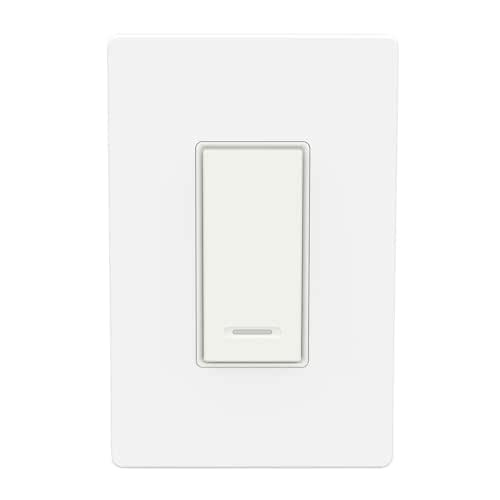
| No-Hub Convenience | Wi‑Fi Frequency: 2.4 GHz only | Voice Assistant Compatibility: Alexa, Google Assistant | Neutral Wire Requirement: Requires neutral | VIEW LATEST PRICE | Read Our Analysis |
| MOES WiFi Smart Light Switch (No Neutral) |

| No-Neutral Simplicity | Wi‑Fi Frequency: 2.4 GHz only | Voice Assistant Compatibility: Alexa, Google Assistant | Neutral Wire Requirement: No neutral support (no-neutral wiring supported; capacitors included) | VIEW LATEST PRICE | Read Our Analysis |
| Kasa HS200-2 2-Gang Wi‑Fi Smart Light Switch |

| Best Multi‑Gang | Wi‑Fi Frequency: 2.4 GHz only | Voice Assistant Compatibility: Alexa, Google Assistant, SmartThings | Neutral Wire Requirement: Requires neutral | VIEW LATEST PRICE | Read Our Analysis |
| GHome WiFi Smart Light Switch (Single-Pole Neutral) |

| Reliable Neutral Model | Wi‑Fi Frequency: 2.4 GHz only | Voice Assistant Compatibility: Alexa, Google Assistant | Neutral Wire Requirement: Requires neutral | VIEW LATEST PRICE | Read Our Analysis |
| WiFi Smart Light Switch 2-Way 16A (4-Pack) |

| Best Multi‑Pack Value | Wi‑Fi Frequency: 2.4 GHz only | Voice Assistant Compatibility: Alexa, Google Assistant | Neutral Wire Requirement: Not explicitly stated (module fits behind switch; typically neutral not required) — supports 1/2‑way wiring (assumed neutral optional) | VIEW LATEST PRICE | Read Our Analysis |
| Kasa HS200-LA Smart Light Switch (Light Almond) |

| Trusted Standard Switch | Wi‑Fi Frequency: 2.4 GHz only | Voice Assistant Compatibility: Alexa, Google Assistant | Neutral Wire Requirement: Requires neutral | VIEW LATEST PRICE | Read Our Analysis |
| TP-Link Tapo S515 Smart Wi‑Fi Switch (Matter Energy Monitoring) |

| Matter‑Ready Powerhouse | Wi‑Fi Frequency: 2.4 GHz only | Voice Assistant Compatibility: Alexa, Google Home, Siri/HomeKit, SmartThings, Bixby (Matter) | Neutral Wire Requirement: Requires neutral | VIEW LATEST PRICE | Read Our Analysis |
| WiFi DC 12/24V Smart Switch for LED & Motors |

| Best for DC Projects | Wi‑Fi Frequency: 2.4 GHz only | Voice Assistant Compatibility: Alexa, Google Assistant | Neutral Wire Requirement: DC device — neutral not applicable (DC input/output) | VIEW LATEST PRICE | Read Our Analysis |
| 30A High-Power WiFi Smart Switch Module for Home |

| Heavy‑Duty Control | Wi‑Fi Frequency: 2.4 GHz only | Voice Assistant Compatibility: Alexa, Google Home | Neutral Wire Requirement: AC high‑power module — neutral typically required/AC line connections (installation requires power off; standard AC wiring) | VIEW LATEST PRICE | Read Our Analysis |
More Details on Our Top Picks
Lutron Caseta 3-Way Smart Dimmer Kit (P-PKG1WB-WH)
Should you want a reliable, widely compatible smart dimmer that’s easy to install in older homes, the Lutron Caseta 3-Way Smart Dimmer Kit is a top pick—its no-neutral design lets you swap switches in minutes and the included Pico remote gives you instant wireless control without rewiring. You’ll add smart schedules and scenes once you pair the dimmer with a Lutron hub (sold separately), then control lights via Alexa, Siri/HomeKit, Google, or Ring. Installation takes about 15 minutes with guides and 24/7 support. Advanced dimming suits LEDs (up to 150W) and incandescents (up to 600W); avoid low-voltage circuits.
- Wi‑Fi Frequency:Works with smart hub; smart features via bridge — hub uses home Wi‑Fi (supports integrations) (requires bridge; hub connects to home Wi‑Fi)
- Voice Assistant Compatibility:Alexa, Google Home, Siri/HomeKit, Ring (via Lutron hub)
- Neutral Wire Requirement:No neutral required (PD-6WCL-WH)
- App Control:Lutron app (requires Lutron hub) for schedules/scenes
- Scheduling / Automation:Schedules and scenes via Lutron app (hub required)
- No Hub (or Hub Optional) Operation:Hub required for smart features (Lutron hub sold separately) — hub-based system (so not standalone)
- Additional Feature:Includes Pico wireless remote
- Additional Feature:No neutral required
- Additional Feature:Superior LED dimming
BN-LINK WiFi Smart In-Wall Light Switch (White)
Should you want a straightforward, budget-friendly in-wall smart switch that works with Alexa and Google Assistant without adding a hub, the BN-LINK WiFi Smart In-Wall Light Switch is a solid pick—just be sure you have a neutral wire and a 2.4 GHz network for installation. You control it with the free Smart Life app, set daily schedules, and manage lights remotely to save energy or simulate occupancy for security. It’s single-pole only and uses WiFi (no hub). In case you hit connection issues during setup, switch to AP mode. On the whole, it’s a practical, no-frills smart switch.
- Wi‑Fi Frequency:2.4 GHz only
- Voice Assistant Compatibility:Alexa, Google Assistant
- Neutral Wire Requirement:Requires neutral
- App Control:Smart Life app
- Scheduling / Automation:Daily schedules and automation
- No Hub (or Hub Optional) Operation:No hub required
- Additional Feature:No hub required
- Additional Feature:Smart Life app integration
- Additional Feature:2.4 GHz only
MOES WiFi Smart Light Switch (No Neutral)
Should you need a hub-free, no-neutral smart switch that fits tight wall boxes, the MOES WiFi Smart Light Switch (No Neutral) is a strong pick — it runs on 2.4 GHz Wi‑Fi, works with Alexa and Google Assistant, and replaces a two-gang setup to control two fixtures from one device. You’ll get on/off control only (no dimming or smart-bulb support), multiple control methods (app, touch panel, remote, voice), and timer automations. It supports no-neutral or with-neutral wiring—capacitors included for no-neutral installs—and uses ground/neutral outgoing wires. The shallow body and safety features simplify installation in most wall boxes.
- Wi‑Fi Frequency:2.4 GHz only
- Voice Assistant Compatibility:Alexa, Google Assistant
- Neutral Wire Requirement:No neutral support (no-neutral wiring supported; capacitors included)
- App Control:App (Wi‑Fi app; compatible with Tuya/Smart Life ecosystems)
- Scheduling / Automation:Timer functions and app automation
- No Hub (or Hub Optional) Operation:No hub required
- Additional Feature:Replaces 2-gang with one
- Additional Feature:Includes required capacitors
- Additional Feature:Shallow-body design
Kasa HS200-2 2-Gang Wi‑Fi Smart Light Switch
Should you want a reliable, no-hub solution that controls two circuits from a single wall plate, the Kasa HS200-2 is a smart pick—its 2-gang design lets you manage two lights or fixtures independently while using existing 2.4 GHz Wi‑Fi and the Kasa app for remote control, scheduling, and voice commands via Alexa, Google Assistant, or SmartThings. You’ll need a neutral wire and simple screw-terminal wiring; the kit includes two switches, a two-gang plate, wire nuts, and labels. Rated 120V/15A (1,800W), UL-certified, flame-retardant, and compact, it supports timers, scenes, away mode, and grouping for reliable home automation.
- Wi‑Fi Frequency:2.4 GHz only
- Voice Assistant Compatibility:Alexa, Google Assistant, SmartThings
- Neutral Wire Requirement:Requires neutral
- App Control:Kasa app (or Tapo app)
- Scheduling / Automation:Scheduling, timers, scenes, Away mode
- No Hub (or Hub Optional) Operation:No hub required
- Additional Feature:Two switches included
- Additional Feature:1800W max load
- Additional Feature:Includes 2-gang wall plate
GHome WiFi Smart Light Switch (Single-Pole Neutral)
Should you want a budget-friendly smart switch that works without a hub and integrates with Alexa or Google Assistant, the GHome WiFi Smart Light Switch is a solid pick—just make sure your wiring includes a neutral and you’re on a 2.4GHz network. It’s single-pole, handles 120V/60Hz up to 15A (1800W), and includes jumper wires; it won’t work with smart bulbs. Use the GHome App (search SW5) for remote control, group management, timers, schedules and sunrise/sunset triggers. UL and FCC certified, firmware V1.1.3 improves stability—follow app prompts to update. Dimensions suit standard boxes.
- Wi‑Fi Frequency:2.4 GHz only
- Voice Assistant Compatibility:Alexa, Google Assistant
- Neutral Wire Requirement:Requires neutral
- App Control:GHome App (SW5)
- Scheduling / Automation:Scheduling, timers, sunrise/sunset triggers
- No Hub (or Hub Optional) Operation:No hub required
- Additional Feature:Firmware updates available
- Additional Feature:Sunrise/sunset triggers
- Additional Feature:UL and FCC certified
WiFi Smart Light Switch 2-Way 16A (4-Pack)
Should you want a compact, easy-to-hide smart module that keeps your existing switches working independently, the WiFi Smart Light Switch 2-Way 16A (4-Pack) is a solid pick — it tucks into standard wall boxes, supports both 1-way and 2-way wiring, and lets you use the physical switch and the smart module without interference. You’ll get four mini ABS modules (0.79 x 0.79 x 0.2 in) rated 16A/1760W, IP65, CE/FCC/RoHS. They work on 90–250V AC or 15–250V DC, require 2.4 GHz WiFi, and pair with Smart Life/Tuya, Alexa, and Google Home. Use timers, LAN control, DIY mode, and share access easily.
- Wi‑Fi Frequency:2.4 GHz only
- Voice Assistant Compatibility:Alexa, Google Assistant
- Neutral Wire Requirement:Not explicitly stated (module fits behind switch; typically neutral not required) — supports 1/2‑way wiring (assumed neutral optional)
- App Control:Smart Life / Tuya app
- Scheduling / Automation:Timers, countdowns, DIY automation via app
- No Hub (or Hub Optional) Operation:No hub required
- Additional Feature:16A / 1760W rating
- Additional Feature:IP65 protection rating
- Additional Feature:Sold as 4-pack
Kasa HS200-LA Smart Light Switch (Light Almond)
Should you want a reliable, hub-free smart switch that works with Alexa and Google Assistant and fits homes that have neutral wiring, the Kasa HS200-LA is a solid choice—it’s a single-pole, 15A/120V switch that replaces standard toggles and connects to your 2.4 GHz Wi‑Fi via the Kasa app. You’ll get UL certification, app-guided installation, scheduling, countdowns, Away Mode, and remote control from Android or iOS. The polycarbonate body and copper contacts fit standard mounting, and the package includes a wall plate, wire nuts, labels, and guide. Consult an electrician should you be unfamiliar with wiring.
- Wi‑Fi Frequency:2.4 GHz only
- Voice Assistant Compatibility:Alexa, Google Assistant
- Neutral Wire Requirement:Requires neutral
- App Control:Kasa app (or Tapo app)
- Scheduling / Automation:Scheduling, timers, Away mode
- No Hub (or Hub Optional) Operation:No hub required
- Additional Feature:Light Almond color option
- Additional Feature:Includes wall plate and labels
- Additional Feature:15A / 600W rating
TP-Link Tapo S515 Smart Wi‑Fi Switch (Matter Energy Monitoring)
Should you want precise energy tracking alongside broad platform support, the TP‑Link Tapo S515 is a strong choice—its built‑in energy monitoring and Matter certification make it ideal for households that want both efficiency data and seamless cross‑brand control. You can manage single‑pole, 3‑way and 4‑way setups, group devices, and schedule lights or use Away Mode for security. It works with Alexa, HomeKit, Google Home, SmartThings, and Bixby, and supports remote control via the Tapo app. Installation needs neutral wiring and 2.4 GHz Wi‑Fi; UL/FCC/RoHS certified materials and 2FA improve safety and account security.
- Wi‑Fi Frequency:2.4 GHz only
- Voice Assistant Compatibility:Alexa, Google Home, Siri/HomeKit, SmartThings, Bixby (Matter)
- Neutral Wire Requirement:Requires neutral
- App Control:Tapo app (Matter support in app)
- Scheduling / Automation:Scheduling, Away Mode, grouping and automation; energy monitoring triggers
- No Hub (or Hub Optional) Operation:No hub required (works with Matter and cloud services)
- Additional Feature:Matter certified interoperability
- Additional Feature:Built-in energy monitoring
- Additional Feature:Includes two wall plates
WiFi DC 12/24V Smart Switch for LED & Motors
Should you run LED strips, small motors, or a solar-powered RV setup and want a direct DC solution, this WiFi DC 12/24V smart switch is for you—because it delivers real DC output matching your input (8–40V, up to 10A) so you don’t need extra relays or controllers. You’ll control LED strips, fans, locks, and small motors directly. It connects over 2.4 GHz WiFi, works with Smart Life/Tuya, and supports Alexa and Google Assistant voice control. Installation is simple with input/output DC terminals, compact hub-free design, and automatic device detection. Use schedules, timers, and automations; disable MAC filtering and avoid special SSID characters.
- Wi‑Fi Frequency:2.4 GHz only
- Voice Assistant Compatibility:Alexa, Google Assistant
- Neutral Wire Requirement:DC device — neutral not applicable (DC input/output)
- App Control:Smart Life / Tuya app
- Scheduling / Automation:Custom schedules and timers via app
- No Hub (or Hub Optional) Operation:No hub required
- Additional Feature:Real DC output (8–40V)
- Additional Feature:10A DC maximum
- Additional Feature:Ideal for RV/solar
30A High-Power WiFi Smart Switch Module for Home
In case you need to control heavy-duty appliances, this 30A high-power WiFi smart switch module is built for you: it handles AC devices up to 30A—think air compressors, water pumps, and hot water heaters—so you can integrate heavy loads into your smart home. You’ll control and monitor status remotely via the eWeLink app on iOS or Android, set scheduled, countdown, or loop timers, and create scenes or groups for coordinated actions. It works with Alexa and Google Home for voice control. Reminder: use a 2.4GHz WiFi network, cut power before installation, and consult the English/Chinese manual.
- Wi‑Fi Frequency:2.4 GHz only
- Voice Assistant Compatibility:Alexa, Google Home
- Neutral Wire Requirement:AC high‑power module — neutral typically required/AC line connections (installation requires power off; standard AC wiring)
- App Control:eWeLink app
- Scheduling / Automation:Scheduled timing, countdown, loop timing
- No Hub (or Hub Optional) Operation:No hub required
- Additional Feature:30A high-power support
- Additional Feature:eWeLink app compatibility
- Additional Feature:Supports smart scenes
Factors to Consider When Choosing a Wifi Smart Switch
Before you buy, I’ll walk you through the key factors that actually matter: wiring requirements, whether you need a hub or can go hubless, and which voice assistants the switch supports. You should also check the switch’s load capacity limits to make sure it can handle your lights or appliances. Finally, confirm network compatibility so your new switch plays nicely with your router and smart home ecosystem.
Wiring Requirements
While I know smart switches bring convenience, their wiring needs are what usually determine whether a model will work in your home. I always check for a neutral wire initially: many WiFi switches need it to complete the circuit and stay powered. In case your home lacks a neutral, look for switches designed specifically to work without one. Single‑pole setups are most straightforward, but 3‑way or multi‑way circuits often need compatible companion modules or extra wiring. Confirm the switch supports 2.4 GHz WiFi and be prepared to disable router features like MAC filtering during setup. Don’t forget proper grounding and local electrical codes—should you be unsure, hire a licensed electrician to avoid safety hazards and guarantee a reliable installation.
Hub Versus Hubless
Now that you’ve thought through wiring, you’ll also want to decide whether to build around a hub or keep things hubless. I prefer to weigh complexity and convenience: hub-based WiFi smart switches use a central hub to release advanced features, broader ecosystem compatibility, and generally more reliable device communication across your home. In case you plan expansive automation or mix many device brands, a hub often makes sense. Hubless switches connect directly to your 2.4 GHz WiFi, so installation is simpler—no extra gateway—and you control them via apps or voice assistants. They suit straightforward setups where ease matters. Choose hub in the event that you want scalability and sturdy; choose hubless provided that you want minimal fuss and quick deployment.
Voice Assistant Support
Since I rely on voice control daily, I make sure a Wi‑Fi smart switch supports Alexa, Google Assistant, and Siri so it’ll work with whatever devices I already use. I also favor switches that add compatibility with platforms like SmartThings or Ring, as that gives me more options for routines and device grouping. Whenever a switch connects directly to Wi‑Fi, voice integration usually needs no extra hub, which simplifies installation and troubleshooting. Before buying, I verify the vendor’s app fully syncs with voice commands—scheduling, remote control, and status feedback should operate through my assistant reliably. In short, broad voice-assistant support and seamless app synchronization turn a smart switch from a novelty into genuinely useful hands-free control.
Load Capacity Limits
Because a smart switch only protects and performs as well as its rated capacity, I always check the load limits before I buy or install one. Load capacity tells you the maximum current (Amps) and wattage a switch can safely handle—commonly 15A for residential lighting up to 30A for heavy-duty units. I total the wattage of all connected fixtures or appliances and compare that to the switch’s rating; exceeding it risks failure or fire hazards. Pay attention to load types: dimmable LEDs often have much lower wattage limits (e.g., ~150W) versus incandescent loads (up to 600W), and motors or compressors need special high-current switches. In case of doubt, choose a higher-rated or dedicated appliance switch.
Network Compatibility
Although it sounds technical, network compatibility is one of the initial things I check because a smart switch that can’t talk to your router or preferred ecosystem quickly becomes useless. To begin with, make sure the switch supports 2.4 GHz—most don’t work on 5 GHz. Next, decide whether you want hub-free devices that connect directly to WiFi or switches that require a dedicated hub; hub-free is simpler for many setups. Confirm your router’s protocols and security settings—features like MAC filtering can block a device unless adjusted. Check the switch app’s remote-control capabilities over 2G/3G/4G and various WiFi networks. Lastly, verify compatibility with the smart home ecosystems and voice assistants you use to avoid cloud or integration headaches.
Installation Complexity
When I pick a Wi‑Fi smart switch, I look initially at how it will actually get wired and set up in my home, because installation is where many projects stall. I check whether a neutral wire is required — older homes often lack one — and whether the switch supports no‑neutral setups with included capacitors or needs extra parts. I also confirm compatibility with existing multi‑way or 3‑way circuits since those add steps and can complicate wiring. Clear, app‑guided setup and tutorial videos cut install time and frustration, so I favor brands that provide them. Finally, I consider potential connectivity troubleshooting: configuring Wi‑Fi or AP mode can demand technical knowledge or vendor support, so plan for that.
Energy Monitoring Features
Wiring and setup matter, but after a switch is installed you’ll want it to do more than just toggle lights — energy monitoring is where many smart switches earn their keep. I look for real-time power tracking so I can spot which fixtures or appliances draw the most energy and act fast. That visibility helps me schedule or dim devices to lower bills and build greener habits based on actual usage patterns. I also value switches that produce detailed reports and let me set alerts for unusual consumption spikes. Finally, automation tied to energy thresholds is a must: once a device exceeds a preset limit, the switch can shut it off automatically, protecting my wallet and reducing waste.
Multi‑Location Control
In my search for a smart switch for a hallway or staircase, multi‑location control is nonnegotiable — it needs to let me operate lights from every physical switch point and keep every control in sync. I prioritize switches designed for 3‑way and 4‑way wiring that offer true synchronized operation so flipping any control updates every other switch and the app/voice status instantly. I like options with companion switches or wireless add‑on remotes that avoid extra wiring, making installation far easier. Compatibility with existing wiring matters—models that don’t require a neutral wire are a boon in older homes. Finally, seamless app and voice integration is essential so every control reflects real‑time device status for reliability.
Frequently Asked Questions
Can Wifi Smart Switches Work During Internet Outages?
Yes — they often keep working locally. I’ll still need to use physical switches or local hubs for control; cloud-dependent features, remote access, and voice assistant commands usually stop until internet returns.
Do Smart Switches Support Voice Assistants Simultaneously?
Like a conductor leading an orchestra, I do use smart switches with multiple voice assistants simultaneously; many models support concurrent Alexa, Google Assistant, and Siri shortcuts, so you’ll get seamless voice control across platforms.
Are These Switches Compatible With Three-Way/Multi-Way Setups?
Yes — many are compatible with three-way/multi-way setups; I’ve installed several that require a matching auxiliary/companion switch or neutral wire, so I’ll check the model’s wiring diagrams and instructions before buying or wiring them.
Can Smart Switches Be Installed Without a Neutral Wire?
About 30% of older homes lack neutral wiring, and yes—I’ve installed smart switches without neutrals using battery-powered or load-sharing models; they work but can limit features, require specific models, or need an electrician for safe installation.
How Do Smart Switches Handle Firmware Updates and Security?
They update over the cloud or local network; I get OTA patches via the vendor app, which I install or auto-apply, and I check for signed firmware, secure TLS delivery, and timely security advisories to stay protected.